Free professional headshots, made on your device.

Turn a photo you already have into a polished LinkedIn or company-profile headshot in seconds. Your photo is never uploaded.

or take a selfie

Free, no signup About 4 seconds Your photo stays on your device

An ordinary photo of a smiling woman in a cluttered office, before processing
Phone snapshot
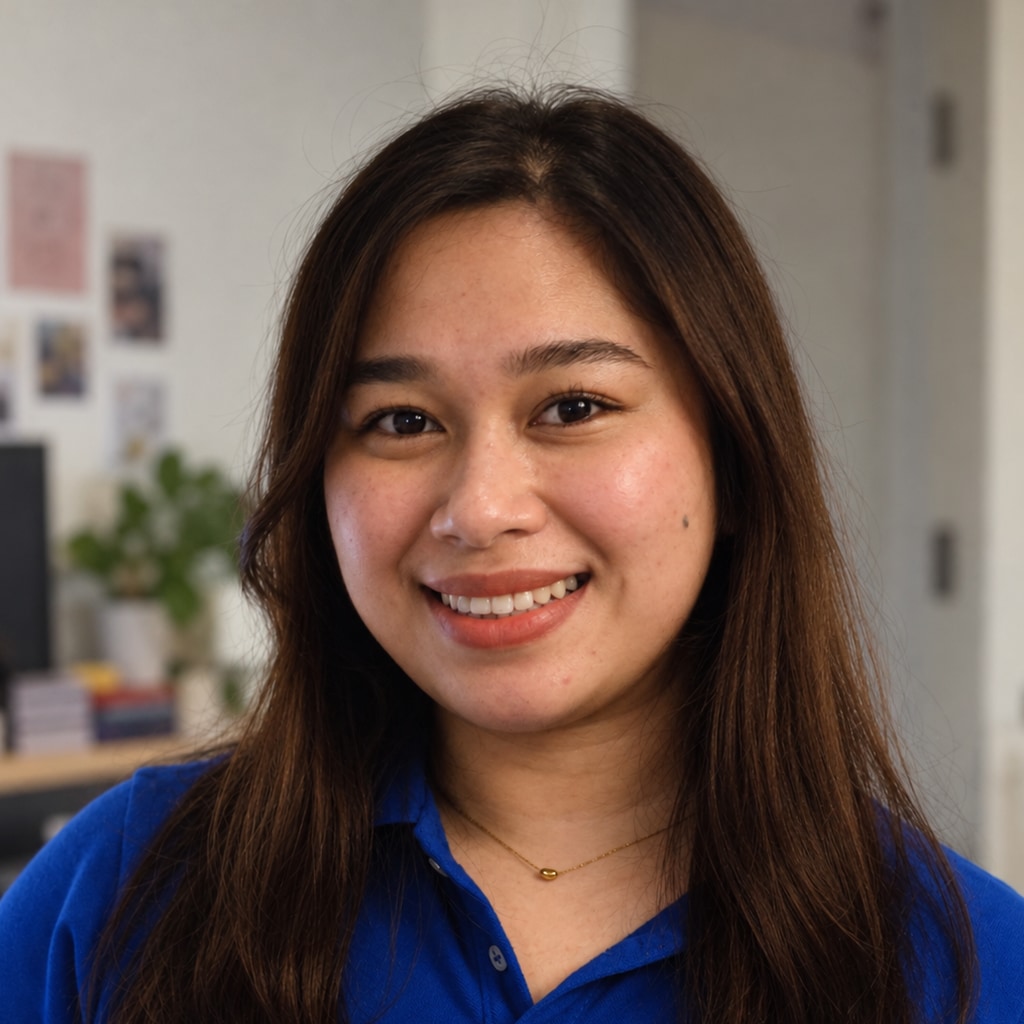
The same photo finished: same face, relit, framed on the eye line, on a blue backdrop
Finished headshot

A real photo, and the headshot this tool made from it. The same defaults anyone else gets, and nothing retouched by hand afterwards.

Step one of one

Drop a photo. Get a headshot.

A good everyday photo works: one clearly visible face, in focus, looking roughly at the camera, with the whole head in frame. JPG, PNG or HEIC.

Drop a photo here or click to choose · or paste from the clipboard Choose a photo Opening your headshot…
or Your browser asks permission first. The video never leaves the page.

What it does

It improves the photo you already like.
It does not invent a new one.

Four things happen to the picture you drop in. None of them touch who is in it.

01

Remove the background

You are separated from whatever room you were standing in, down to the edges of your hair.

02

Fix framing and light

Your face is lit from one side and softened on the other, then the frame is set on your eye line.

03

Retouch naturally

Skin, shine, under-eyes, teeth and hair are evened out at the strength a photographer would use.

04

Pick your finish

Background, crop, lighting and every retouching setting are yours to change once you see the result.

Your face is never redrawn. Only the photograph around it changes.

After the first result

Then you can change your mind

The first result arrives finished, so there is nothing to set up. If it is not quite right, one panel opens with every setting behind it, and each change re-runs in about a second.

  • 14 backgrounds, from a plain grey to a soft office blur.
  • 4 crops, plus how tight the framing sits.
  • Lighting: direction, key strength, rim light, contact shadow, warmth.
  • Retouching: skin, shine, under-eyes, teeth, eye clarity, hair and beard.
  • Output size, up to 1600 px, and a slider to compare against your original.

Every slider starts where a photographer would leave it. Pull one to the end and it will look like it. That is the point of having the original beside it.

Privacy

Your photo is never uploaded

Every headshot service that runs on a server has to receive your face first. This one does not, because the work happens in the browser tab you already have open.

The site itself behaves like any other website: it loads its own pages and, on your first run, about 20 MB of model files. Ads load too. What never leaves your machine is the picture.

Two ways to check

  1. Open your browser's Network tab before you drop a photo in. No request carries it.
  2. Make one headshot, turn your Wi-Fi off, then make another. It still works.

What we do and do not collect

Questions

The things people ask first

Is my photo uploaded anywhere?

No. Your photo is read from disk straight into a canvas on your own machine, and it is never sent to us or to anyone else. The page itself loads normally, like any website, and the first run downloads the models it needs. Your photo is not part of that. Check it yourself: watch the Network tab, or turn your Wi-Fi off after the first run and make another headshot.

Does it change what I look like?

It never redraws or replaces your facial features. Nothing here is generative. The models only locate things: the background, your hair, skin and clothes, and 478 points on your face. Everything after that is ordinary image processing, applied inside those areas. The background, the lighting, the framing and the retouching change. The person does not.

What kind of photo should I use?

A good everyday photo: one clearly visible face, looking roughly at the camera, with the whole head in frame and in focus. Even, soft light beats direct sun or a hard flash. A phone selfie is fine. If the top of the head is cut off the tool says so and frames around it, but a full head always frames better.

How long does it take?

About four seconds once the models are cached. The first run downloads roughly 20 MB of weights, once per device. After that it works with no network at all.

What is actually running in my browser?

Two small models, about 20 MB together. One separates you from the background, down to the strands of your hair. The other finds 478 points on your face, so the crop can be built around your eye line rather than guessed. They run through ONNX Runtime Web, on WebAssembly or WebGPU, whichever turns out to be both correct and faster on your machine. Everything after that is ordinary image processing: masking, blurring, relighting, resampling. The models come from Google’s MediaPipe work, are Apache-2.0 licensed, and we host the files ourselves rather than hot-linking them.

Is it really free?

Yes. No signup, no watermark, no download fee and no cap on how many you make. Your computer does the processing, so there is no GPU bill to recover. Advertising covers the hosting, which is why you see ads on the page.

From the blog

Getting a photo worth processing

Are AI headshots OK for LinkedIn?

The honest answer is that it depends on what the tool did to your face. Redrawing you is a problem. Relighting and cropping the photo you actually took is not.

All posts